

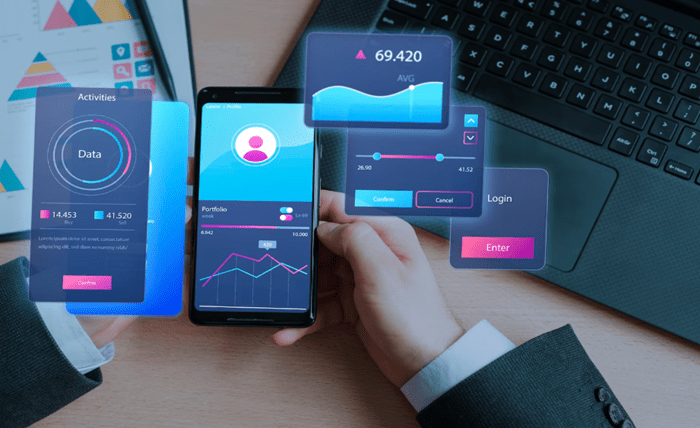
Shopping apps push limited-time deals. Social platforms encourage immediate posting. Banking tools show live balances and fast transfers. Any interface that creates a “now or never” mood increases the chance of misclicks, especially on mobile where screens are smaller and attention is divided.
The strongest lesson from high-intensity formats such as desi aviator is not about entertainment. It is about behavior. When urgency rises and feedback arrives instantly, people act faster than they verify. That reality makes safer UX a competitive advantage. It protects users from regret and protects businesses from disputes, chargebacks, and churn.
Why Real-Time Interfaces Create More Accidental Actions
Misclicks increase when the mind shifts into reactive mode. Real-time design often encourages that shift. Visual motion, countdown cues, and rapid feedback narrow attention. Users focus on what feels most urgent and ignore secondary details.
Mobile conditions amplify this effect. Many sessions happen in transit, between tasks, or in noisy environments. Fingers are used instead of precise pointers. Notifications compete for attention. A subtle UI change can cause a tap to land on the wrong element.
Real-time apps also change expectations. Once users become used to instant response, they tap faster. They do not wait to confirm that the system registered the input. They may tap again, creating duplicate actions. They may skip reading labels, assuming the flow is familiar.
The most common high-risk triggers include
- Buttons placed near system navigation areas.
- Last-minute popups that shift layout.
- Similar-looking actions with different consequences.
- Tiny toggles and dense menus.
- Time pressure signals that encourage speed.
These issues are not solved by telling users to “be careful.” They are solved by designing for the reality of divided attention.
Micro-Feedback That Prevents “Blind Tapping”
Micro-feedback is the first line of defense against misclicks. It tells users what is happening before consequences become final. The best micro-feedback works in milliseconds and does not require reading.
A button should visibly change state when tapped. A clear pressed animation reduces repeated taps. A short loading state signals that an action is processing. Haptic feedback can confirm that the tap was recognized, especially when network conditions are unstable.
Progress feedback matters as well. Users feel safer when they can see where they are in the flow. A clear step indicator. A concise confirmation message. A visual distinction between preview and final submit. These signals reduce the chance of acting on assumptions.
Real-time apps often struggle here because designers prioritize speed over clarity. That is a mistake. Clarity makes speed safer. When micro-feedback is consistent, users develop better timing. They stop “blind tapping” because the interface reliably responds.
Micro-feedback should also be proportional. High-stakes actions need stronger signals. Low-stakes actions can remain lightweight. When everything flashes, nothing feels important.
Safer Interaction Patterns for High-Stakes Buttons
Some actions deserve extra protection. Deleting an account. Sending money. Confirming a subscription change. Posting content publicly. These actions should not be triggered by a single accidental tap.
The solution is not to add friction everywhere. It is to add intentional friction only where consequences are costly. Several interaction patterns perform well in real-time products.
Double confirmation is useful when it is designed intelligently. A generic “Are you sure?” popup can become noise. A better approach is a confirmation that restates the action in plain terms, highlights the consequence, and offers a clear cancel option.
Hold-to-confirm is another effective pattern. It prevents accidental taps without slowing deliberate users too much. The act of holding forces intention. It also works well on mobile because it does not require precision, only sustained contact.
Swipe actions can reduce accidental triggers by requiring a directional gesture. This is particularly useful for irreversible actions. A swipe also reduces the chance of tapping the wrong element because the motion is deliberate.
Undo windows are powerful because they respect speed while preserving safety. The action happens immediately, but the user has a short window to reverse it. This pattern works well for messaging, content actions, and many settings changes.
High-stakes patterns should be consistent across the product. If one screen uses hold-to-confirm and another uses a single tap for the same outcome, users will make errors. Consistency is a safety feature.
Reducing Risk Without Killing Flow
Some teams fear that safety design will reduce engagement. In reality, misclick regret reduces engagement more. Users who feel tricked or rushed leave. They also warn others. Flow is not only about speed. Flow is about confidence.
Safety can be built without turning the experience into a barrier. The key is to shape friction so it feels helpful rather than punitive. Helpful friction is predictable. It appears only when stakes are high. It explains itself quickly through UI, not through long text.
Interface stability is an underrated factor. Many misclicks occur when layout shifts. A banner loads late and moves content. A popup appears after a user already aimed a tap. A button changes size based on dynamic text. These shifts are common in real-time apps because data is constantly updating.
Stabilizing layout reduces errors without slowing users. Reserved space for banners. Skeleton screens that preserve structure. Consistent button placement across states. These decisions are invisible when done well, but they prevent costly mistakes.
Another flow-friendly tactic is to reduce choice density at critical moments. If a confirmation screen shows too many options, users rush and choose incorrectly. Clean hierarchies and minimal primary actions reduce confusion.
A Practical Checklist for Misclick-Resistant UX
Safer UX is not a single feature. It is a collection of small decisions that protect users under pressure. The following checklist helps teams reduce accidental actions without sacrificing responsiveness:
- Protect high-stakes actions with intent signals such as hold-to-confirm, swipe-to-confirm, or meaningful confirmations.
- Provide immediate button state changes to prevent repeated taps and accidental duplicates.
- Use undo windows where possible to allow fast flows without permanent regret.
- Keep layouts stable during dynamic updates by reserving space and preventing late-loading shifts.
- Separate “primary” and “dangerous” actions visually using spacing, hierarchy, and clear labels rather than relying on color alone.
- Reduce choice density at critical steps so users do not misread options under time pressure.
- Measure misclick patterns through analytics and support tickets to identify where users get trapped.
This checklist also supports business outcomes. Fewer disputes. Lower churn. Better reviews. More trust.
Designing for Real Users
Real-time apps succeed when they feel fast and safe at the same time. Speed without protection creates regret. Protection without speed creates frustration. The strongest products treat safety as part of user experience, not as an afterthought.
Misclick-resistant design respects how people actually use phones. It acknowledges divided attention, small screens, and emotional urgency. It also recognizes that real-time environments invite impulsive behavior. The goal is not to slow users down everywhere. The goal is to make the right actions easy and the wrong actions harder.
Real-time UX is becoming the norm across industries. Products that master safe interaction patterns will stand out. They will feel smooth, trustworthy, and reliable when it matters most.